 Bosman
Bosman
Bosman
Control your Bose SoundTouch speakers on your local network, discover DLNA media servers and internet radio stations, manage zones, use Stereo Mode for SoundTouch 10, work with shortcut buttons next to presets, and keep sources, recents, and presets aligned with your account and devices.
Bosman is currently in beta. Please use the app with care, especially when changing existing devices or setups.
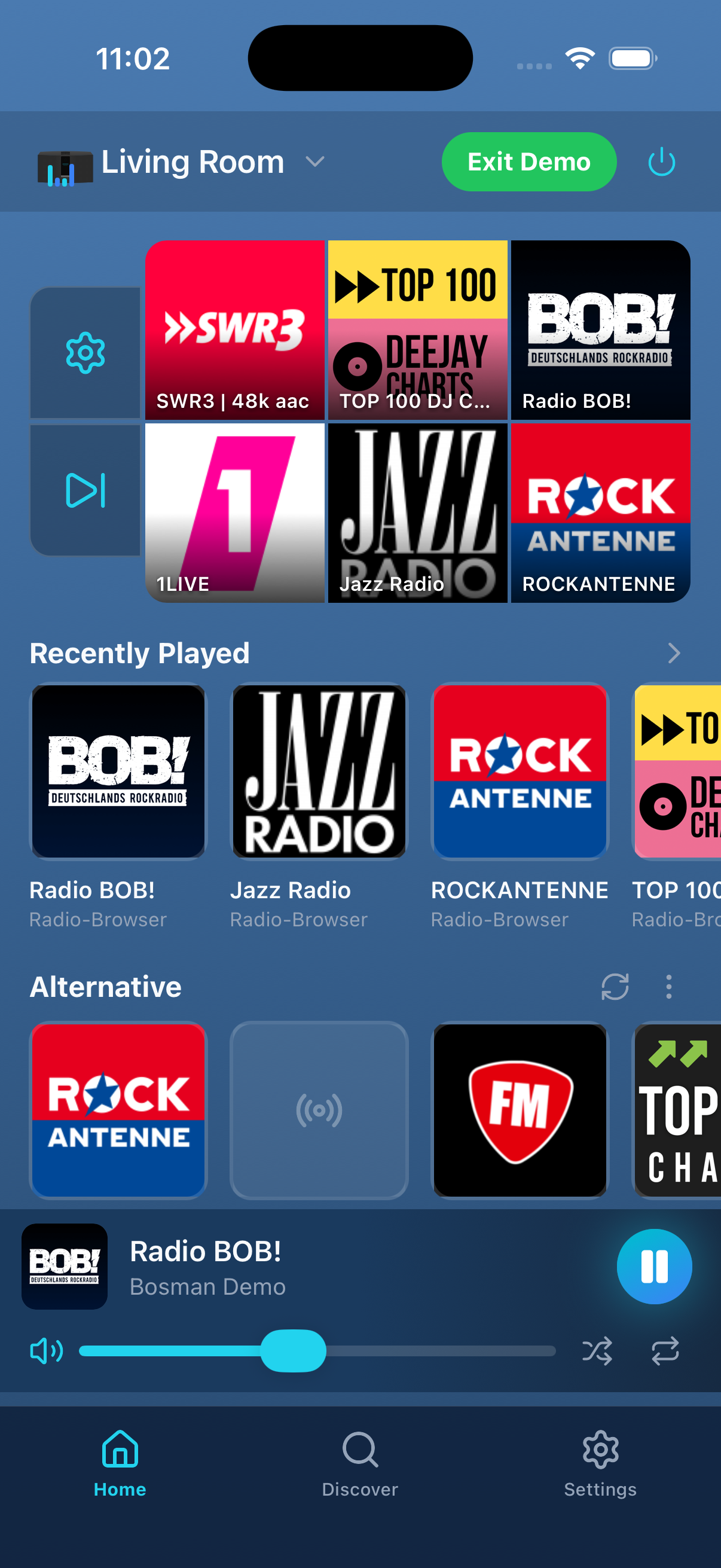
Everything you need to make the most of your SoundTouch system.
Just install the app – no server, no configuration, no technical knowledge required. Start it up and go.
Finds all Bose SoundTouch devices automatically in your Wi-Fi network.
Browse your media servers and play streams directly on your speakers.
Browse internet radio stations right inside the app and play them on your speakers.
Keep recent items and presets tied to each device so every speaker has its own quick access setup.
Use extra shortcut buttons right next to the preset buttons to reach important actions faster.
Create groups of speakers (Master/Slaves) for synchronous sound throughout your home.
Pair two SoundTouch 10 speakers as a dedicated left and right stereo setup directly in the app.
Your configured sources are linked to your account and available across all your devices wherever you use Bosman.
Starting with version 1.7.0, Bosman can be shared through iOS Family Sharing. All family members use one shared Bosman account.
The Bose devices still send usage data, but the Bosman server ignores and never stores it.
Bose has discontinued the cloud services for SoundTouch speakers. Without these services, the devices lose key features like internet radio, presets, and management through the original app. Bosman replaces these services and restores full functionality to your speakers.
Speaker control happens directly on your local network. An internet connection is needed for internet radio streaming and initial setup, but basic control works locally.
Bosman supports all Bose SoundTouch speakers, including the SoundTouch 10, 20, 30, the SoundTouch Portable series, and the SoundTouch SA-5 amplifier. Stereo Mode currently targets pairs of SoundTouch 10 speakers.
No. Just install the Bosman app on your smartphone – no server, no configuration, no technical knowledge required.
The first 30 days are free. After that, the price shown in your App Store or on Google Play applies. Prices vary by country, currency, and applicable taxes. Apple usually shows tax-inclusive prices, while Google Play may add or display taxes separately depending on the country.
Yes. Starting with version 1.7.0, Bosman can be shared on iOS through Family Sharing. All entitled family members share exactly one Bosman account.
Free for the first 30 days. After that, the price shown in the App Store or on Google Play applies. Prices vary by country, currency, and tax. On iOS, Family Sharing is available starting with version 1.7.0; all family members share one Bosman account. Currently available as a beta – we cannot provide any guarantee for device changes, migrations, or setup transitions.